Integration Challenges Are Real
Retailers today rely on accurate data to manage planograms, assortments, and store performance. But integrating merchandising software with existing systems like POS or ERP can be complex and time-consuming. Inconsistent data, legacy databases, and limited visibility can slow onboarding, create errors, and delay ROI.
PlanoHero solves this by offering flexible integration options tailored to each retailer’s technical capabilities.
Two Integration Approaches for Retailers
When connecting your retail data to PlanoHero, you can choose one of two integration approaches depending on your internal resources and IT infrastructure:
1. Integration Managed by the PlanoHero Team
If your company doesn’t have in-house IT specialists or prefers a fully supported setup, our team can handle the integration process on your behalf.
In this case:
A temporary intermediate database is created on our side.
Your team uploads data into this database in an agreed format.
PlanoHero specialists securely transfer the data from this database into the PlanoHero service.
This approach minimizes your internal workload and ensures a quick, reliable connection managed entirely by the PlanoHero technical team.
2. Self-Integration Using the PlanoHero Connector
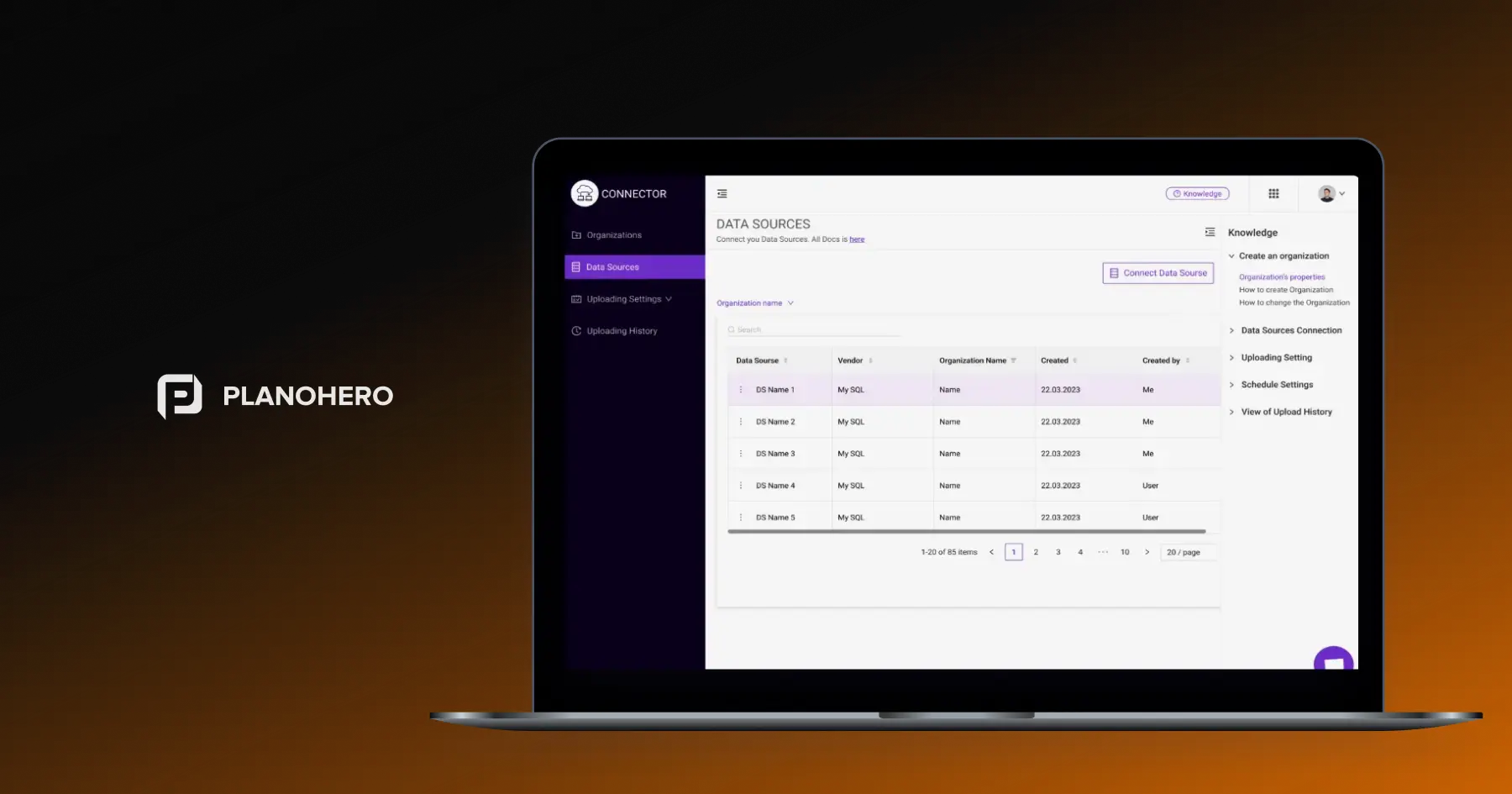
For retailers with in-house IT specialists or those who wish to maintain control over their data flow, PlanoHero offers a Connector — a dedicated tool for seamless and transparent integration.
The Connector enables your team to set up, manage, and automate data exchange between your internal systems (POS, ERP, or accounting), database and PlanoHero independently, with full visibility at every step.
Connector ensures that your POS/ERP data flows reliably into PlanoHero. It eliminates friction, accelerates onboarding, and ensures clean, validated data across every retail process.
The Role of the PlanoHero Connector
The PlanoHero Connector is designed to eliminate friction in merchandising software integration. Its key functions include:
- Automating data synchronization between POS/ERP systems and PlanoHero
- Enabling quick setup of new stores or categories
- Supporting IT teams with a transparent, testable integration environment
- Adapting to any accounting or POS system, including SAP, and others
What the PlanoHero Connector Does
- Flexible, customizable data uploads into PlanoHero
- Real-time monitoring of upload progress, with the ability to identify and correct issues instantly.
- Clear end-to-end workflow — from source setup and mapping to validation and automated daily updates.
- Comprehensive documentation and technical tutorials, ensuring every integration step is transparent for both business and IT teams.
This combination of automation, visibility, and flexibility means faster onboarding, fewer errors, and a smooth transition from setup to daily operation.
Seamless Integration with POS, ERP, and Accounting Systems
PlanoHero integrates with most inventory accounting systems and POS solutions used in retail today. The only requirement is the ability to export data in SQL, CSV, or JSON format. Most commonly supported systems include SAP, and many others.
The Connector can integrate with any POS system — without limitations. Integration setup typically involves a short technical meeting with your IT team. For custom environments, PlanoHero adapts the integration to your existing setup, ensuring that all relevant data — from product attributes to transactions — flows seamlessly into PlanoHero for accurate analysis and planogram management.
End-to-End Data Integration Process and Update Procedure via Connector
PlanoHero provides a structured workflow for integrating and maintaining retail data through the Connector:
-
Review data structure and define which tables and datasets need to be filled.
-
Select and set up data source - supported Database Management System (DBMS) options include PostgreSQL, MySQL, MS SQL, Oracle, Sybase, or FTP/SFTP servers.
-
Create and deploy data source via scripts.
-
Connect data sources - your DBMS and the PlanoHero Connector.
-
Configure Entity Mapping: Map each entity to its corresponding data source.
-
Download and verify data in PlanoHero.
-
Configure daily automatic updates to maintain real-time data accuracy.
-
Upload historical data according to contractual agreements.
-
Perform final data verification using the Data Console extension.
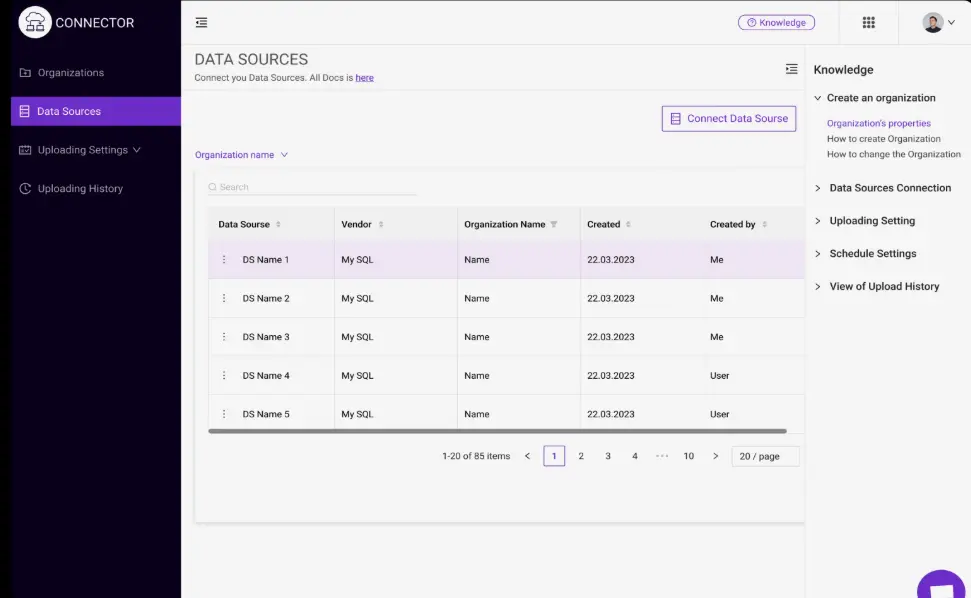
This workflow provides retailers with full transparency and repeatable control over their integration process — from initial setup to ongoing synchronization.
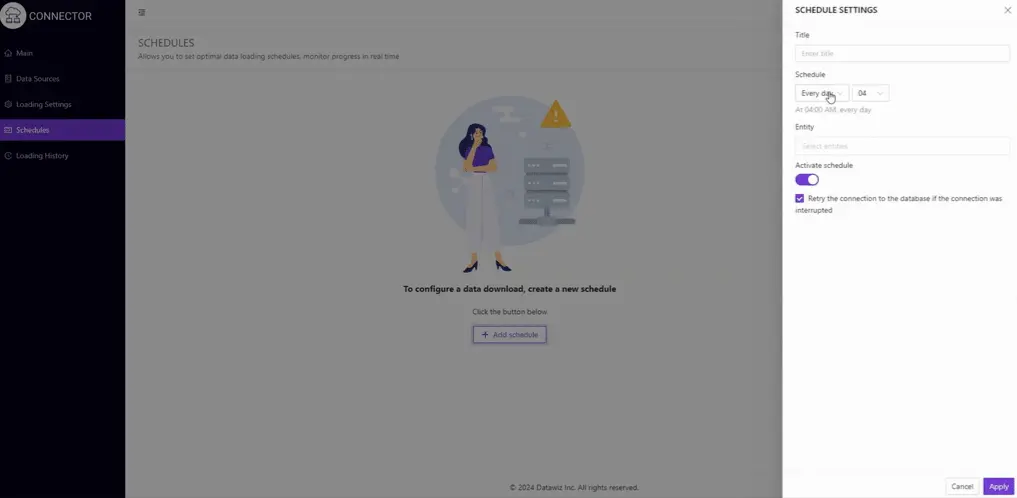
This procedure ensures that your data is clean, up-to-date, and fully compatible with PlanoHero’s planogram software.
By supporting any accounting or POS system that can export data in SQL, CSV, or JSON formats, the Connector ensures that retailers have access to all the required data for planogram setup. This flexibility allows chains to integrate quickly and efficiently, regardless of the technology currently in use.
Dedicated Support for Smooth Onboarding
Whether your integration is handled by PlanoHero’s team or managed internally via the Connector, our technical support team is always available to assist.
PlanoHero's support team ensures high-quality service, assisting with setup, daily operations, or troubleshooting.
The Outcome: Fast, Reliable, and Scalable Integration
Retailers using PlanoHero experience:
-
Faster onboarding: Pre-configured structures and automation save weeks of setup.
-
Reduced errors: Continuous validation and synchronization maintain data accuracy.
-
Real-time visibility: Live monitoring and automated scheduling.
-
Scalability: Flexible setup that adapts to any retail format or data complexity.
With PlanoHero, integration becomes a scalable, transparent process that connects your retail systems to a single, data-driven merchandising platform.
Conclusion
Whether your integration is managed by the PlanoHero team or carried out internally using the Connector, your retail chain gains a fast, transparent, and reliable connection to the PlanoHero planogram software.
With structured data procedures, flexible workflows, and expert support, PlanoHero removes technical complexity from the integration process. The Connector enhances this experience with flexible data uploads, real-time monitoring, and pre-configured data structures that ensure accuracy from day one.
PlanoHero offers the smarter, more scalable way to connect your POS, ERP, and accounting systems — helping retailers spend less time on setup and more time optimizing shelves, improving product availability, and driving sales.
Looking for a service to create planograms?
Try a free demo version of PlanoHero